Most people start with AI blog writing the same way: they type “write a blog post about X” and hope something usable comes back. The result is usually a generic draft that takes almost as long to fix as it would have taken to write. A more reliable approach is to split the job into steps, so each prompt does one thing and you review the result before moving on.
This article walks through a five-step prompt workflow for blog drafts: a research and intent prompt, an outline prompt, a section-by-section draft prompt, a human-voice pass, and a verification pass. The prompts are illustrative starting points. This article does not report test results, so try them on your own topics and adjust them to your audience, your tone, and your editing process.
Whether you are a freelance writer, a student learning content marketing, or someone producing blog posts for clients, this workflow is meant to help you reach a usable first draft faster while keeping your own judgment, facts, and voice in the final version.
Why Blog Draft Prompts Usually Disappoint
A common freelance process looks like this. Open a blank document. Type a vague prompt into ChatGPT. Get back something generic that reads like a Wikipedia summary with a smile painted on it. Rewrite half of it. Feel frustrated. Repeat.
Writers often ask the same question about AI drafting. They are not asking whether AI can write a blog post. They want to know how to ask for one so the result is worth editing. The answer is rarely a single clever prompt. It is a process that gives the AI the right context at each stage and keeps a human in charge of the facts and the final voice.
The workflow below is built around three principles.
- First, every draft should be held to a real publishing standard, meaning it needs a plagiarism check, a fact check, and a read-aloud test for tone.
- Second, track the time you spend at each stage, from research to outline to first draft to final polish, so you can see where AI saves time and where it creates more work.
- Third, no single miracle prompt. A repeatable system is more useful than a party trick.
A Simple Way to Test This Workflow Yourself
You do not need a 60-hour experiment to find out whether this workflow helps. Pick a handful of topics you would write about anyway. Draft some the way you do today and others with the five steps below, then compare the results. The comparison is only meaningful if you use the same standard for both, so decide in advance what you will measure.
What to Track
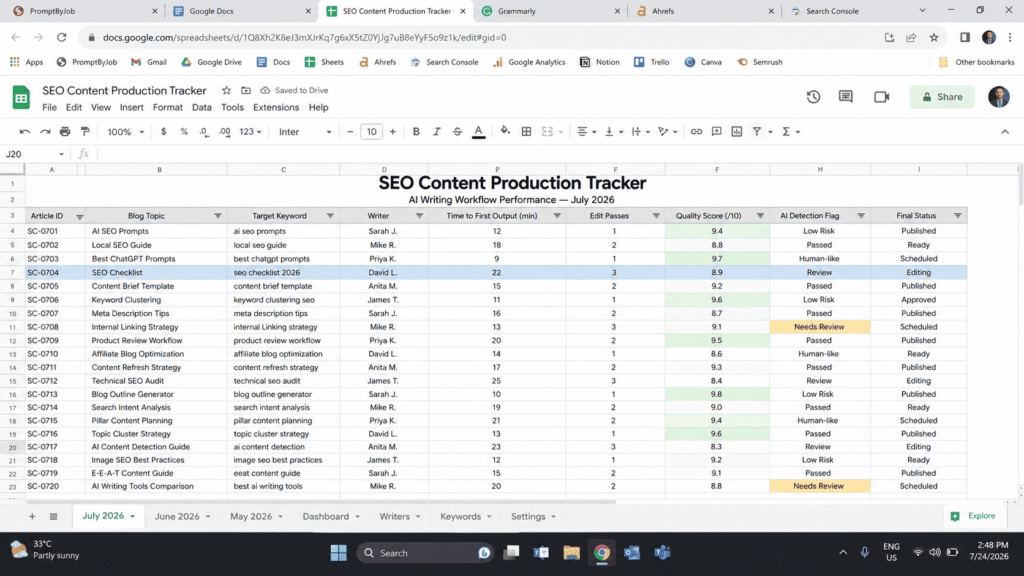
For each draft, log a few simple numbers: the time to a first usable output, the number of edit passes before the piece is publish-ready, how closely the word count matched your target, and a quality score from one to ten based on how much you had to rewrite. If you or your clients care about AI detection, note whether a checker flagged the draft, but treat that as a side note rather than a quality measure.
It also helps to keep a running list of the habits that make AI writing sound machine-made, such as transitions that feel too smooth, “moreover” appearing too often, summaries where elaboration belongs, and paragraphs that end with a conclusion that adds nothing new. That list becomes useful input for the human-voice pass in Step 4.
Which AI Tool to Use
The prompts below are written to work in ChatGPT, Claude, or Gemini. This article does not compare how the three models perform on them, so try a prompt in the tool you already use and adjust the wording if the output drifts. In general, a vague prompt gives the model little to work with, whichever tool you choose.
The Five-Step Prompt Workflow
Here is the part most readers come for: a five-step sequence you can run for any blog draft, in order, with the reasoning behind each step so you can adapt it to your own niche instead of copying it blindly.
Good prompt structure follows the same core principles outlined in official prompt engineering documentation.
Step 1: The Research and Intent Prompt
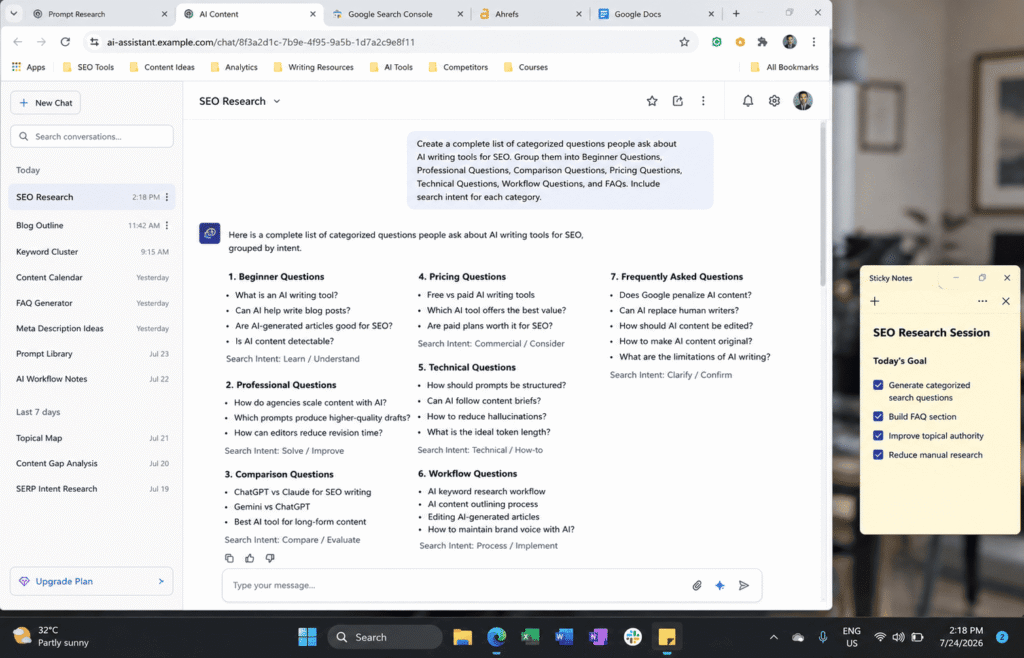
Before asking for a single sentence of content, ask the AI to map out what people are likely to want when they search your topic. A prompt like this is a good starting point.
Starting with questions instead of content changes what you write next. Rather than guessing what to cover, you have a list of what readers are likely to want to know before you draft a single sentence. The list also gives you a pool of possible subheadings phrased the way people tend to ask questions. Treat the output as a set of hypotheses. The model is inferring likely questions, not reading real search data, so check them against a keyword tool, Google’s autocomplete suggestions, or questions your own readers have sent you before you commit to them.
Step 2: The Outline Prompt with Structure Rules
Once you have the question map, feed it back into a second prompt that builds a strict outline.
The last sentence of this prompt, which asks for a primary entity and a few supporting entities, is there to push the outline beyond a list of surface-level headings. Naming the main topic and the concepts around it gives the model a reason to cover how they connect. It will not make the outline the work of a subject matter expert, so read the result and add or cut sections based on what you actually know about the topic.
For a similar step-by-step structure applied to another profession, see AI Response Prompts for Customer Support: A Check-First Framework With Examples.
Step 3: The Section by Section Draft Prompt
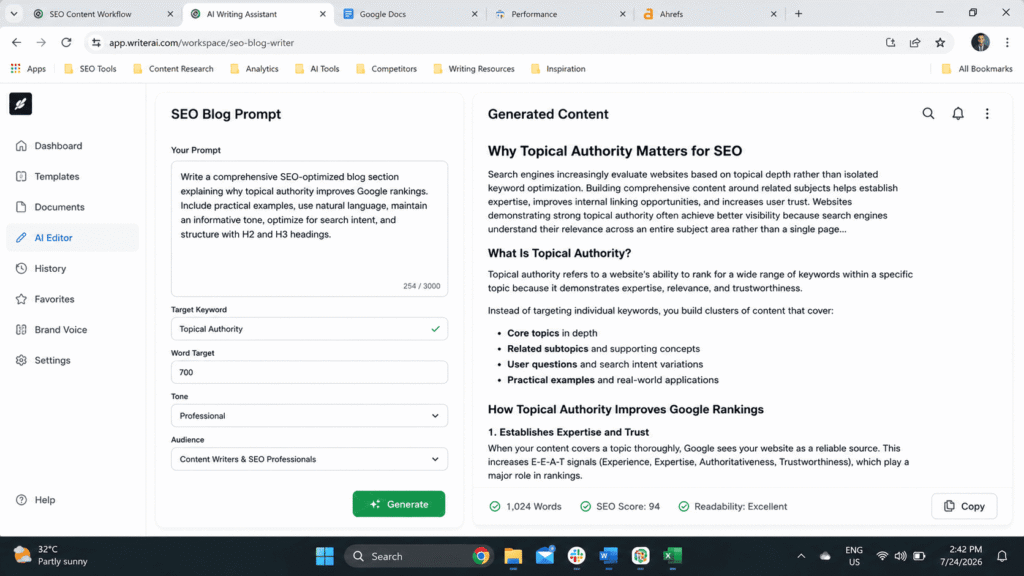
This is where many people go wrong: asking for an entire 2000-word article in one prompt. A single request like that asks the model to satisfy many instructions at once, and the result can come out bland or repetitive. Drafting one section at a time gives you a chance to review and steer each part before moving on to the next.
Drafting section by section means more prompts per article, but it can cut down on full rewrites, because a weak section is easy to regenerate without touching the rest. Whether it saves time overall depends on your topic and your editing habits, so track your own numbers.
Step 4: The Human Voice and Personal Experience Pass
After the draft is assembled, run a dedicated prompt to flag anything that sounds like it came from a machine.
This is also the stage to add your own experience, your own numbers, and your own opinions, because no prompt can supply genuine first-hand experience. That part has to come from the writer. If you have no first-hand experience with a topic, say so plainly, or find and cite a source instead of asking the AI to supply one.
Step 5: The Claim-Listing and Verification Prompt
The final step before publishing is a verification pass.
This prompt does not verify anything by itself. What it does is turn a draft into a checklist of claims, so you can check each one against a primary source before publishing. AI models can state things with total confidence that are outdated or simply wrong, including when you ask them to check their own work, so the verification has to be done by a person. If a claim has no source you can open and read, remove it or mark it clearly as opinion.
How to Measure Whether the Workflow Helps
The only reliable way to know whether this workflow helps is to measure it on your own work. Here is what to track.
Time Spent
Before changing anything, record how long a typical post takes you from research to publish-ready copy. Then run the same kind of post through the five-step sequence and record the time again. The AI is not meant to write the whole thing for you. It is meant to take over the slow, repetitive parts of the process, such as research gathering, outline building, and first draft generation, so you can spend your time on judgment, voice, and accuracy. Whether that saves time depends on your topics and your editing habits, so compare your own before and after numbers.
Output Quality
Time saved means little if quality drops. If you work with an editor, ask them to review a few drafts from each method without telling them which is which, and compare their notes on clarity, flow, and accuracy. If you work alone, apply the same checklist to every draft, such as a read-aloud test for tone, a plagiarism check, and a fact check.
Common Ways This Workflow Goes Wrong
Three approaches are worth avoiding. Asking for the entire article in one giant prompt with a long list of instructions risks generic, forgettable writing, even when the instructions are detailed. Asking the AI to “write like a human” without specific guidance may change very little, so describe the voice you want and include a sample of your own writing instead. And relying on a single AI detection score as your only quality check is a mistake, because a passage can score as human written and still be boring, vague, or wrong.
Common Mistakes Freelancers and Students Make with AI Prompts
Here are mistakes that commonly show up when writers use AI for blog drafts.
- Treating the AI like a search engine instead of a drafting partner, which leads to copying the first output without questioning it.
- Skipping the outline stage entirely and going straight to a full draft prompt, which often produces shallow, repetitive content.
- Never telling the AI who the audience actually is, which results in tone that is too formal for a casual blog or too casual for a technical audience.
- Using the same generic prompt for every single topic instead of adjusting it for the specific intent behind that keyword.
- Forgetting to add personal experience, opinions, or specific numbers, which leaves the draft reading like a generic summary that could have been written about any topic.
- Publishing the first draft without a dedicated fact check pass, which risks spreading outdated or simply incorrect information.
How This Fits Google’s Current Content Standards
Google’s published guidance says it focuses on the quality of content rather than on how the content was produced. Using AI is not against its guidelines on its own, but using automation mainly to generate large amounts of content to manipulate search rankings goes against its spam policies. You can read the details in Google’s guidance on using generative AI content and on creating helpful, reliable, people-first content.
That is why the workflow above includes a human-voice pass and a verification pass. Those are the steps where you add your own judgment, facts, and experience, which is what separates a draft that could have been written by anyone from one that reflects real knowledge of the topic. No workflow can guarantee rankings.
A sensible way to use AI for blog drafts is to treat it the way a newsroom might treat a research assistant. It is useful for speed, never the final authority, and always reviewed by a human who adds judgment, context, and accountability before publishing.
Final Thoughts
A five-step workflow takes more effort than typing one prompt, and it is fair to wonder whether it is worth it. The point is not the number of steps. It is that each step gives the AI a narrow job and gives you a checkpoint to review the result before the next one. Run it on a few of your own topics, track how long each stage takes, and keep the steps that help.
If you take one thing away from this, let it be this. The prompt is not the product. The workflow is. Break your writing process into small, specific steps, give the AI clear context at each stage, and always finish with your own judgment, your own facts, and your own voice.
FAQ’s
Does using AI prompts for blog drafts hurt SEO rankings?
Not automatically. Google’s published guidance says it evaluates the quality and helpfulness of content rather than how it was produced, but it also says that using automation mainly to manipulate rankings goes against its spam policies. Thin, generic, unedited content is a risk whether it came from AI or from a rushed human writer, and no one can promise that an edited AI-assisted draft will rank.
How many prompts should I use to write one blog post?
A practical starting point is four or five focused prompts, covering research, outline, section drafting, editing, and verification. Breaking the work into steps gives you a chance to review each stage, which is harder to do when one prompt generates the whole article. Adjust the number to the length and complexity of the post.
Can AI replace a freelance writer completely?
Not for anything that requires original judgment, verified expertise, or a genuine point of view. AI is excellent at compressing the research and structuring stages of writing. It cannot replace the human decisions about what to say and whether it is actually true.
What is the biggest mistake people make with AI writing prompts?
Being too vague. A prompt that does not specify audience, tone, length, and structure leaves the model to guess, and that tends to produce generic output whichever AI model you use.
Do AI content detectors matter for publishing decisions?
They can be a useful sanity check, but they should never be the only quality measure. Content can pass a detection check and still be shallow or unhelpful, which is the actual thing search engines and readers care about.

Rehan Malik is a blogger and the creator of PromptByJob. He publishes articles and prompt examples about using AI tools for different tasks. He uses AI-assisted drafting in his writing process. He is not a healthcare professional, and his nursing-related content should not be treated as medical advice or evidence of clinical testing.