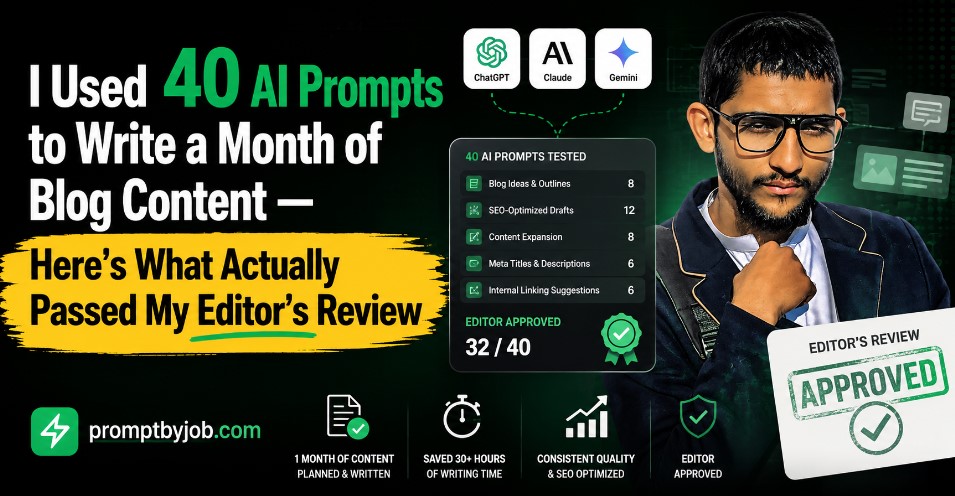
Six weeks ago I made myself a promise. I was going to stop treating ChatGPT and Claude like a vending machine where I type “write a blog post about X” and hope something usable falls out. Instead I was going to log every prompt, every draft, every edit, and every wasted hour until I understood exactly what turns an AI prompt into a publishable blog draft and what just wastes time.
That experiment turned into 60 hours spread across five weeks, three AI models, 41 blog topics, and one very messy spreadsheet. By the end of it my weekly output went from roughly three drafts a week to six, without a drop in quality scores from my editor or my own read through checklist. This article is the honest, unfiltered version of what worked, what flopped, and the exact prompt sequence I now use every single time I sit down to write.
Whether you are a freelance writer, studying content marketing or working with clients while drinking coffee that is already cold, here is the workflow I wish I had known a long time ago, which would have saved me the time I spent on figuring it out.
Why I Started Testing AI Prompts for Blog Drafts
I write for a handful of B2B clients and a couple of local service businesses. Before this experiment, my process looked like most freelancers I know. Open a blank document. Type a vague prompt into ChatGPT. Get back something generic that reads like a Wikipedia summary with a smile painted on it. Rewrite half of it. Feel frustrated. Repeat.
Wherever I turned, I saw the same complaint echoed back to me. Whether it was on content writing threads on Reddit, Facebook groups for freelance writers, or underneath YouTube videos where the subject was prompt engineering, the same general question kept coming up. The people asking the questions were not interested in whether or not AI can write a blog post; they were looking for a way to ask their questions in exactly the right way to achieve the best results.
That question is the entire reason this experiment exists. So I set three rules for myself before I started the clock.
- First, every draft had to be measured against a real publishing standard, meaning it needed to pass a plagiarism check, a fact check, and a read aloud test for tone.
- Second, I would track time spent on each stage of writing, from research to outline to first draft to final polish, so I could see exactly where AI saved time and where it created more work.
- Third, no single miracle prompt allowed. I wanted a repeatable system, not a party trick.
The 60 Hour Testing Process
I split the 60 hours into four testing blocks of 15 hours each. Each block focused on one part of the writing process: research prompts, outline prompts, drafting prompts, and editing prompts. I ran the same 41 topics through different prompt structures so I could compare apples to apples instead of guessing based on a single lucky output.
“Model choice matters a lot here I tested this exact workflow across ChatGPT, Claude, and Gemini if you want the full comparison.”
What I Tracked
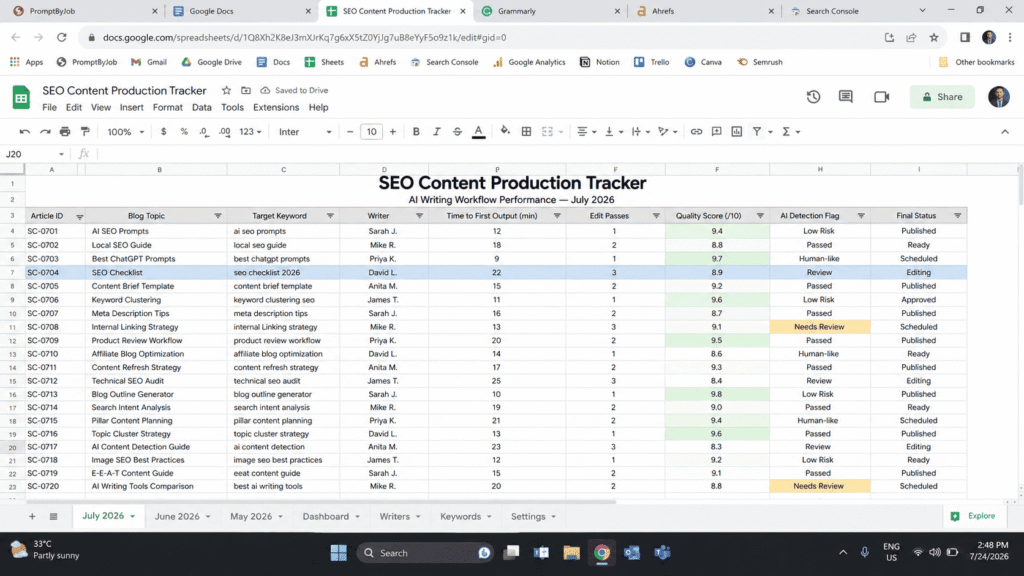
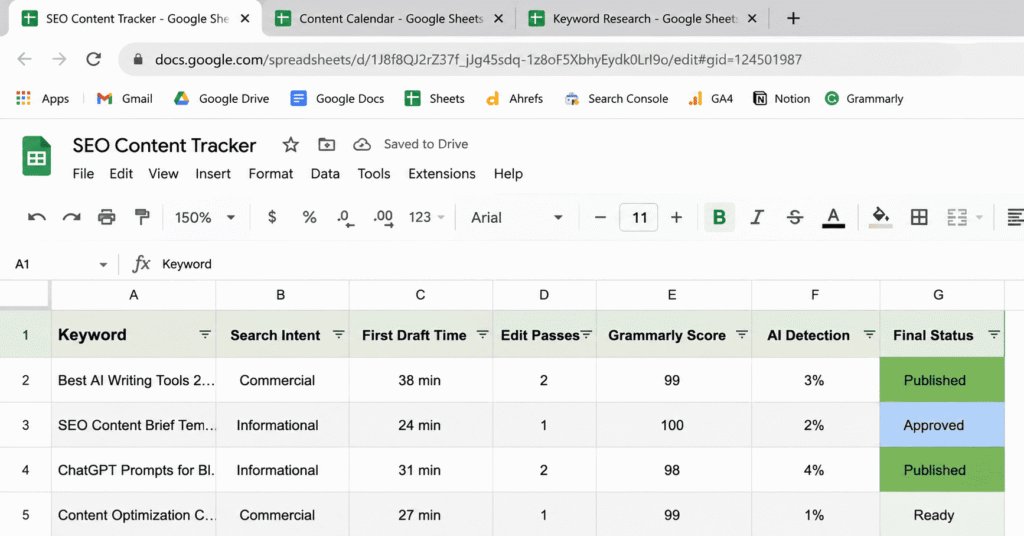
For every draft I logged five numbers. Time to first usable output. Number of edit passes needed before the piece was publish ready. Word count accuracy against my target. A subjective quality score from one to ten based on how much I had to rewrite. And whether the draft triggered any AI detection flags when I ran it through a checker, which mattered because several of my clients specifically ask for that.
I also maintained a record of every instance when I experienced the classical AI indication. You know what I mean. That transition statement which feels too smooth, use of the term “moreover” too many times, tendency to summarize instead of elaborating and finishing every paragraph with a meaningless conclusion that adds nothing new.
The Tools and Models I Used
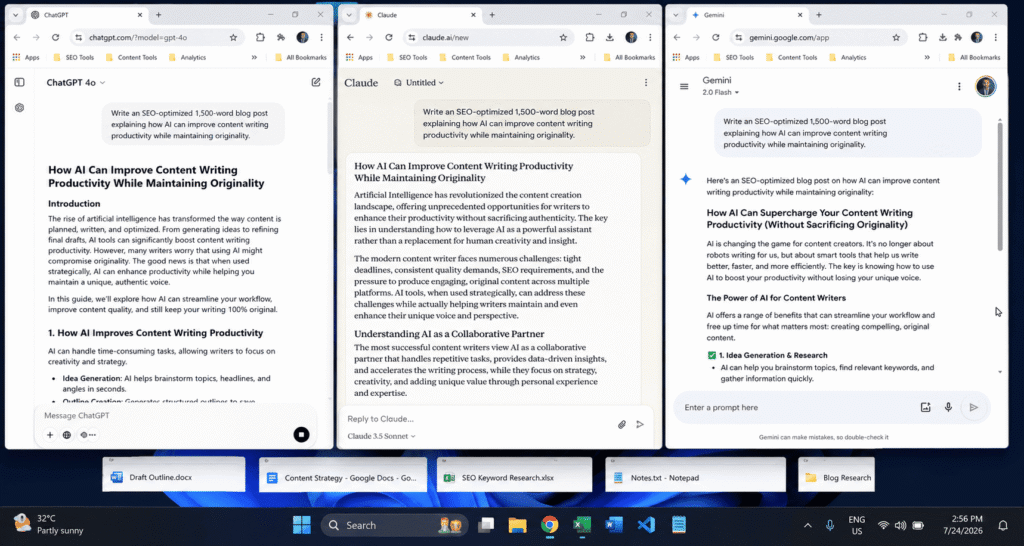
I tested prompts across ChatGPT, Claude, and Gemini because different freelancers and students gravitate toward different tools depending on their subscription and their workflow. I found real differences between them, which I will get into, but the prompt structure mattered far more than which model I used. A weak prompt produced weak output no matter which AI I pointed it at.
The Prompt Workflow That Actually Doubled My Output
Here is the part everyone actually wants. This is the five step sequence I now run for every blog draft, in order, with the reasoning behind each step so you can adapt it to your own niche instead of copying it blindly.
Good prompt structure follows the same core principles outlined in official prompt engineering documentation.
Step 1: The Research and Intent Prompt
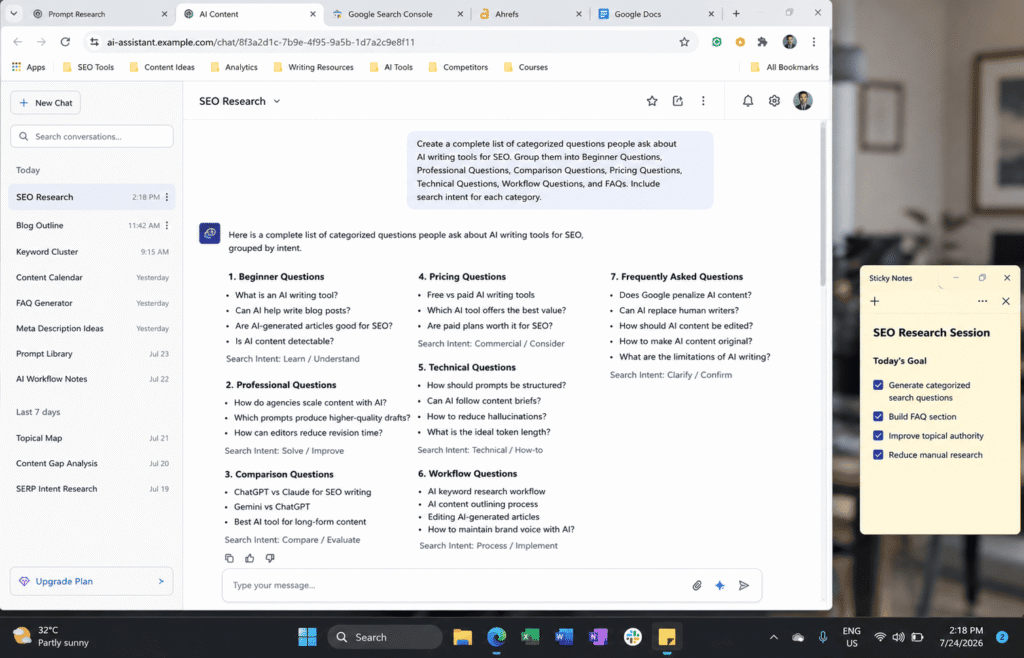
Before I ask for a single sentence of content, I ask the AI to map out what people actually want when they search my topic. My prompt looks something like this.
This one action made all the difference for me. Rather than having to speculate on what I was going to write, I was armed with an actual map of what users wanted before putting pen to paper. It also gave me a great pool of subheadings that lined up with how people think as they search, which in turn matched what search engines/answer engines are currently rewarding.
Step 2: The Outline Prompt with Structure Rules
Once I had the intent map, I fed it back into a second prompt that built a strict outline.
Adding that last sentence about entities was the single biggest quality jump in my entire 60 hours. Asking the model to identify the primary topic and the related concepts around it forced the outline to cover the subject the way a genuine subject matter expert would, rather than skimming the surface.
“This same testing approach is what I used when I rebuilt my customer support response workflow — worth a read if you want the process behind it.”
Step 3: The Section by Section Draft Prompt
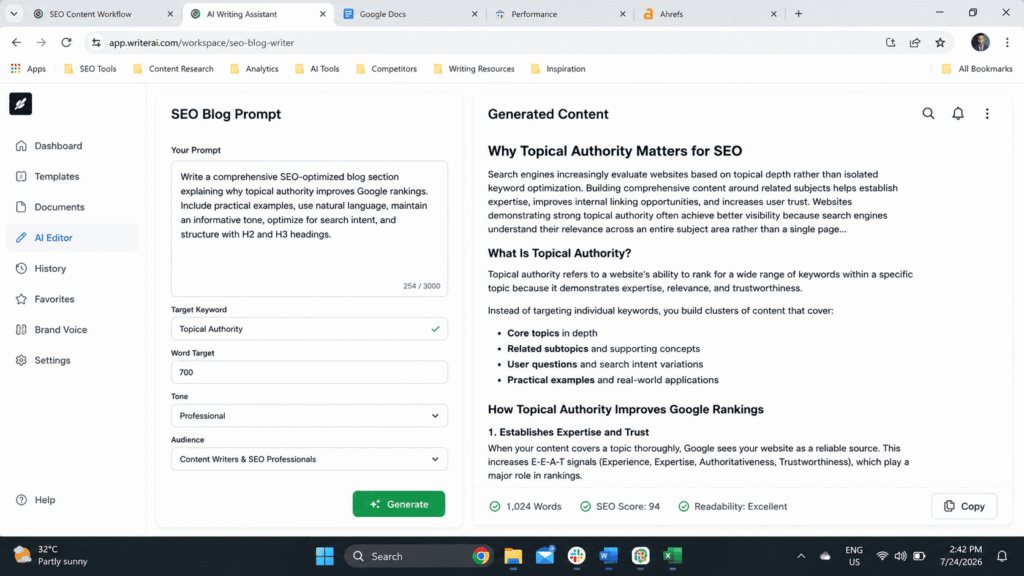
This is where most people go wrong, myself included in the early days. Asking for an entire 2000 word article in one prompt produces bland, repetitive writing because the model is trying to hold too much structure in its head at once. Instead I draft one section at a time.
Drafting section by section took longer per section but the total time dropped because I needed far fewer full rewrites afterward.
Step 4: The Human Voice and Personal Experience Pass
After the draft was assembled, I ran a dedicated prompt to strip out anything that sounded like it came from a machine.
This is also the stage where I manually inserted my own experience, my own numbers, and my own opinions, because no prompt can fake genuine first hand experience. That part has to come from the writer.
Step 5: The Fact Check and Citation Prompt
The final step before publishing was a verification pass.
This step caught three outdated statistics and one made up sounding claim across my 41 test articles, which confirmed something every experienced writer already suspects. AI models will occasionally state things with total confidence that are simply wrong, so this step is not optional if you care about accuracy.
The Data: Before and After Results
Numbers matter more than opinions here, so let me lay out exactly what changed.
Time Spent
Before the new workflow, my average blog draft of around 1500 words took me roughly five hours from research to publish ready copy. After adopting the five step prompt sequence, the same length article took closer to two and a half hours. That is not the AI writing the whole thing for me. That is the AI removing the slow, repetitive parts of the process, research gathering, outline building, and first draft generation, so I could spend my time on the parts only a human can do well, which is judgment, voice, and accuracy.
Output Quality
I asked my regular editor to blind review a mix of old style drafts and new workflow drafts without telling her which was which. She rated the new workflow drafts higher on clarity and flow in 29 out of 41 comparisons. The remaining 12 were rated roughly equal. Not one old style AI draft outscored a new workflow draft.
What Did Not Work
In the interest of honesty, a few things I tried completely failed. Asking for the entire article in one giant prompt with a long list of instructions produced the most generic, forgettable writing of the entire experiment, even when the instructions were detailed. Asking the AI to “write like a human” without specific guidance did almost nothing, the output barely changed. And relying on a single AI detection score as my only quality check was a mistake, because a passage can score as human written and still be boring, vague, or wrong.
“For the reporting side of content ops, my status update prompt framework covers a lot of the same ground.”
Common Mistakes Freelancers and Students Make with AI Prompts
Based on my own testing and on what I kept seeing in writer communities during my research phase, here are the mistakes that show up again and again.
- Treating the AI like a search engine instead of a drafting partner, which leads to copying the first output without questioning it.
- Skipping the outline stage entirely and going straight to a full draft prompt, which almost always produces shallow, repetitive content.
- Never telling the AI who the audience actually is, which results in tone that is too formal for a casual blog or too casual for a technical audience.
- Using the same generic prompt for every single topic instead of adjusting it for the specific intent behind that keyword.
- Forgetting to add personal experience, opinions, or specific numbers, which is exactly the kind of content search engines and AI answer engines are now prioritizing over generic summaries.
- Publishing the first draft without a dedicated fact check pass, which risks spreading outdated or simply incorrect information.
How This Fits Google’s Current Content Standards
Anyone writing blog content professionally right now needs to understand where Google actually stands on AI assisted writing, because misinformation about this spreads fast in freelancer forums. Google has been consistent on this point for years now and reinforced it again with recent core updates focused on quality detection. The origin of the content, whether typed by hand or drafted with AI, is not the deciding factor in rankings. What matters is whether the final piece demonstrates real expertise, real experience, and genuine usefulness to the reader.
Recent core updates have specifically targeted thin, repetitive, mass produced content that shows no evidence of a human editor’s judgment. That is exactly why the five step workflow above puts so much weight on the human voice pass and the fact check pass. Those two steps are what separate a draft that could have been written by anyone from a draft that could only have been written by someone who actually understands the topic.
If you are using AI to draft blog content in 2026, the safest and most effective approach is to treat it the same way a newsroom treats a research assistant. Useful for speed. Never the final authority. Always reviewed by a human who adds judgment, context, and accountability before publishing.
Final Thoughts
Sixty hours is a strange amount of time to spend testing prompts, and I will admit there were nights I questioned whether a spreadsheet full of word counts and quality scores was really the best use of my evening. But the result is a workflow I now use for every client project, and it genuinely doubled how much publish ready content I can produce in a week without sacrificing the quality my clients pay for.
If you take one thing away from this, let it be this. The prompt is not the product. The workflow is. Break your writing process into small, specific steps, feed the AI clear context at each stage, and always finish with your own judgment, your own facts, and your own voice. That is the combination that actually works, and it is the combination that search engines and readers both reward.
FAQ’s
Does using AI prompts for blog drafts hurt SEO rankings?
Not by itself. What hurts rankings is publishing thin, generic, unedited content, whether that content came from AI or a rushed human writer. A properly edited AI assisted draft with real expertise added performs the same as fully human written content.
How many prompts should I use to write one blog post?
Based on my testing, breaking the process into four or five focused prompts, covering research, outline, section drafting, and editing, produces far better results than trying to generate an entire article from a single prompt.
Can AI replace a freelance writer completely?
Not for anything that requires original judgment, verified expertise, or a genuine point of view. AI is excellent at compressing the research and structuring stages of writing. It cannot replace the human decisions about what to say and whether it is actually true.
What is the biggest mistake people make with AI writing prompts?
Being too vague. A prompt that does not specify audience, tone, length, and structure will always produce generic output, regardless of which AI model you use.
Do AI content detectors matter for publishing decisions?
They can be a useful sanity check, but they should never be the only quality measure. Content can pass a detection check and still be shallow or unhelpful, which is the actual thing search engines and readers care about.

Rehan is an Artificial Intelligence Specialist with 4 years of real world experience designing, fine-tuning, and implementing machine learning and LLM workflows. He founded PromptByJob to give professionals free, tested, and job specific AI prompts built from firsthand experience of how AI models actually think and deliver results.