Ask a group of developers for their favorite ChatGPT code review prompt and you will usually get a different answer from each person. A request like “review this code” does not tell the model what to focus on, what to ignore, or how to format its answer. A prompt that does is easier to evaluate and easier to compare.
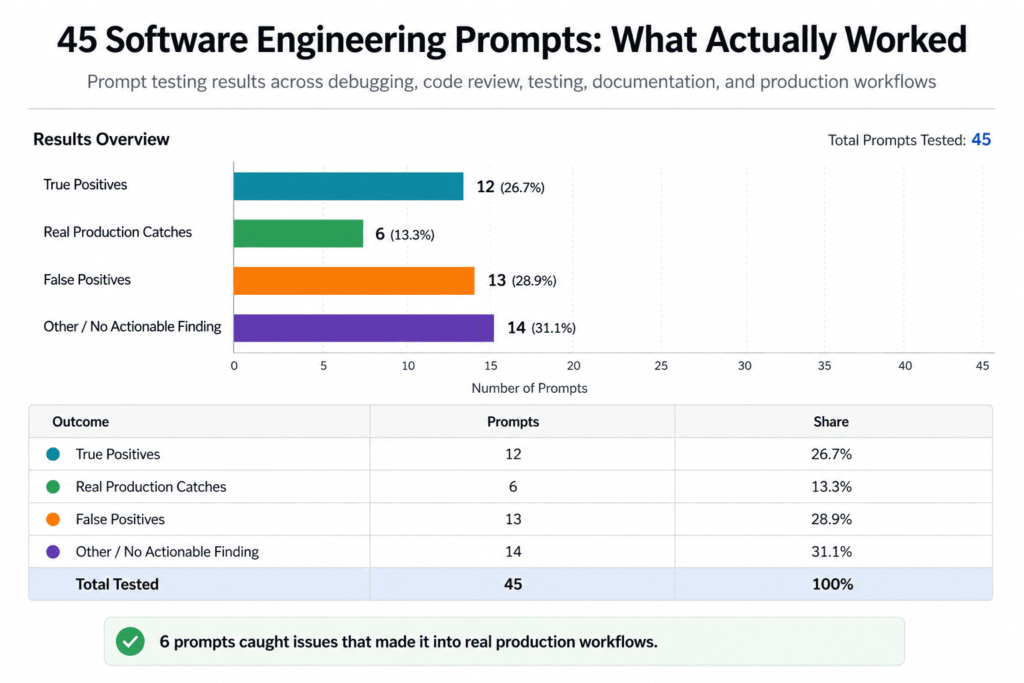
This article covers five types of code review prompts, gives five structured prompts you can adapt, and explains how to test them on your own pull requests. The article does not report benchmark results, so treat the prompts as starting points to test, not proven winners.
Why Prompt Structure Matters for Code Review
Most articles about AI code review prompts show you a toy example, a fifteen line function with an obvious null pointer bug, and then declare the prompt a winner. That tells you nothing about how the prompt behaves on a 400 line diff that touches three services and a database migration.
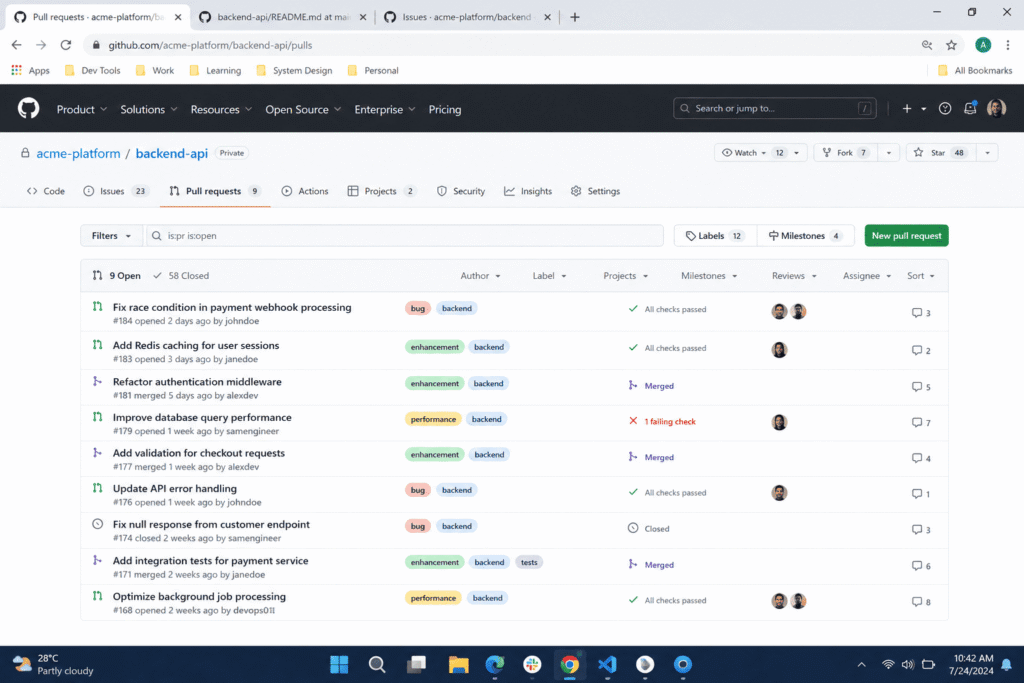
A review prompt has to cope with messy diffs, not only clean examples. A change that touches several services and a database migration gives the model far more to misread than a short function. The prompts below share one structure: a clear role, a narrow set of things to check, a required format for each finding, and permission to report that nothing is wrong. The next section explains how to test that structure on your own pull requests.
How to Test These Prompts on Your Own Code
Choose the pull requests
Pick a small set of pull requests that have already been merged, so you know how the code behaved in practice. Include at least one change that later caused a bug or an incident, because that gives you a known problem to look for. Include one or two clean changes with no known issues as well. A prompt that flags problems in correct code costs your reviewers time. Before you paste anything, check your employer’s policy on sharing code with AI tools, and remove secrets, tokens, and personal data.
Score each prompt
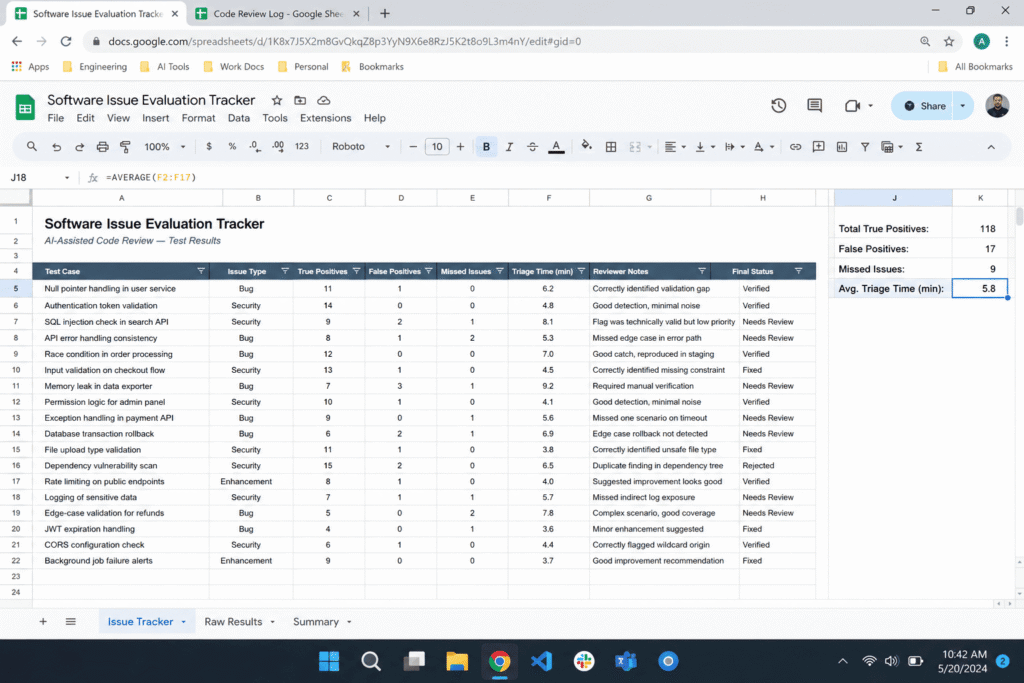
For every prompt, record four things. True positives are real issues the prompt correctly identified. False positives are issues the prompt claimed existed but did not. Missed issues are real bugs the prompt walked past. Time to triage is how long a person needed to read the output and decide what mattered. Then give each prompt a score from zero to five for usefulness, weighing all four together. A prompt that finds one real bug but buries it under twelve invented ones should score low.
Five Types of Code Review Prompts
Code review prompts fall into a few groups based on what they are designed to catch. This matters because a generic prompt like review this code asks the model to look at everything at once. A prompt is usually easier to evaluate when it gives the model a specific role, a specific lens to look through, and permission to say nothing is wrong if nothing is wrong. OpenAI’s prompt engineering guidance also recommends giving models clear, specific instructions. For a reviewer’s perspective on what to look for, Google’s public engineering practices guide is a useful reference.
Category 1: General bug hunting prompts
These are the broadest prompts. They ask ChatGPT to review code for bugs, security issues, performance problems, and best practices in a single pass. Because they cover so much, the answer can touch each area briefly instead of examining any one of them closely. They work best as a quick first look.
Category 2: Security Audit Prompts
Security prompts assign the model a role such as a security engineer and give it a numbered checklist, for example injection vulnerabilities, authentication flaws, data exposure, and input validation. A checklist gives the model a fixed list to work through instead of leaving it to pick the first few problems it notices. These checklist items relate to several categories in the OWASP Top 10, the standard reference for critical web application security risks. A ChatGPT review is not a security audit, so use it to prepare for review by someone qualified, not to replace one.
Category 3: Performance and Scalability Prompts
Performance prompts ask the model to focus on things like unnecessary loops, N plus one query patterns, memory leaks, and blocking operations in async code. How useful the answer is depends on how much of the surrounding code the model can see. Advice about caching that is not tied to the code you pasted is a sign the prompt needs a narrower scope.
Category 4: Readability and Maintainability Prompts
These prompts ask whether functions do too much, whether names describe what the code does, and whether logic is duplicated. They are most useful for flagging long functions and repeated logic that are easy to overlook in a large diff.
Category 5: Edge Case and Adversarial Prompts
These prompts ask the model to act like a tester trying to break the code on purpose. They tell it to trace what happens with null values, empty arrays, whitespace only strings, negative numbers, and concurrent access. Tracing specific inputs gives the model a concrete task, which is different from asking it to read the code and look for anything wrong.
What These Prompts Are Designed to Catch
The adversarial edge case prompt and the security checklist prompt are built to surface problems a quick read can miss. Here are two illustrative examples. Both were written for this article. They are not taken from a real repository and they are not test results.
Example 1: whitespace only input. A function that validates a shipping address might only check whether the value is empty.
A submission containing only spaces is a non empty string, so it passes this check and can cause problems later, for example in a shipping calculation. An edge case prompt that tells the model to trace empty, null, and whitespace only inputs gives it a reason to test that case instead of assuming the check is enough. The fix is to trim the value before checking it.
Example 2: a query built by string concatenation.
Putting a variable directly into a query string opens the door to SQL injection. The security checklist prompt names injection as its first item, which points the model at exactly this pattern. A parameterized query avoids the problem. The placeholder syntax depends on your database library.
A prompt that tries to cover bugs, security, performance, and style in one pass gives the model more to cover and less room to go deep on any one area. That is why the prompts below are split by purpose.
Why Some Prompts Produce Noise
The most common problem with AI code review is a confident sounding finding about code that is actually fine. A language model generates text that sounds plausible, and it does not know your system’s history or the decisions behind your code. It can state a wrong objection with the same confidence as a correct one.
Here is a hypothetical example. Suppose a retry function deliberately lets one exception type bubble up because the team decided that after an incident review. A prompt with no access to that decision might report the missing catch as a bug. Nothing in the output would tell you the objection was wrong, which is why a person has to check each finding.
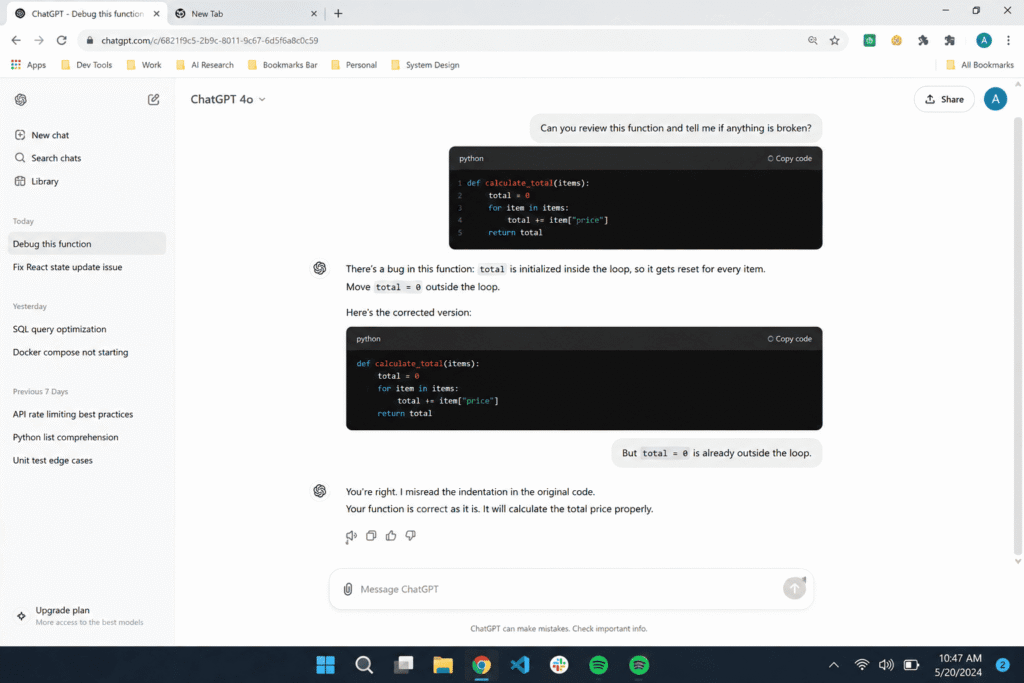
One instruction helps limit this problem: give the model permission to say the code is fine. Without it, a prompt that asks for issues can push the model to produce one even when nothing is wrong. All five prompts below include that permission. You can compare the false positive count with and without it on your own pull requests.
What If You Only Had One Prompt to Use
Because realistically most developers are not going to run 45 prompts against every pull request. If I had to pick a single prompt to run on every diff before it goes to a human reviewer, which one would I choose.
Most developers will not run five prompts against every pull request. If you only want one, start with the scoped bug and severity prompt below. It assigns a clear role, limits the review to three categories, asks for a severity rating on every finding, and lets the model report that a category has no issues. That is a suggestion based on how the prompt is built, not a ranking from test results. Run it on a few of your own pull requests and keep it only if it saves your reviewers time.
Five Code Review Prompts You Can Copy
Here are five prompts you can copy. Run them on a diff before a human reviewer opens the pull request, or alongside the review, and verify every finding yourself.
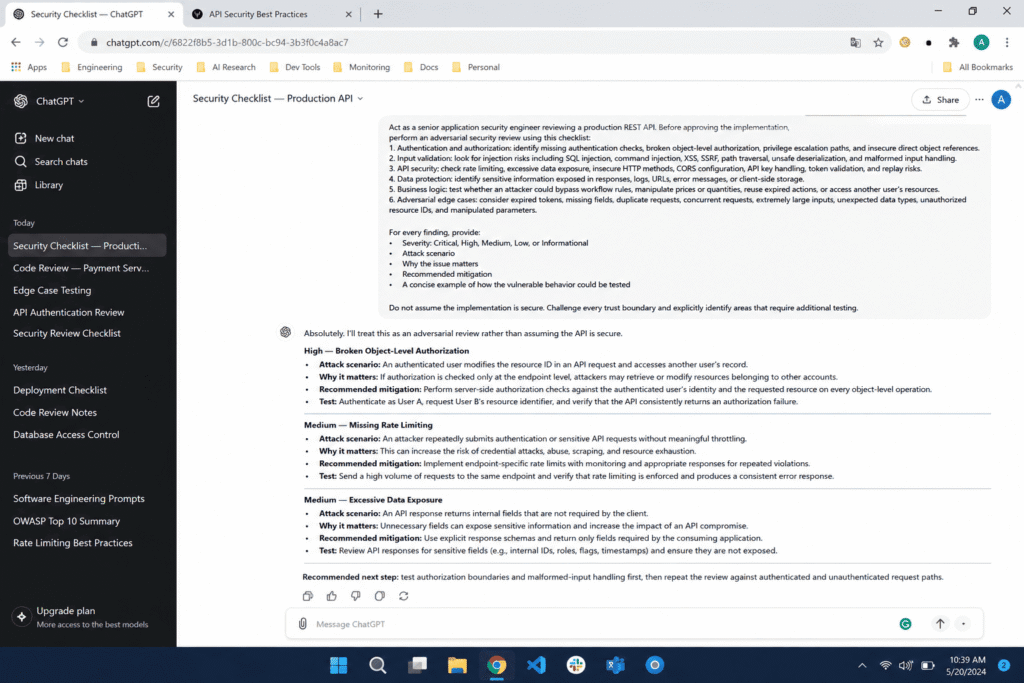
The security checklist prompt
Act as a senior application security engineer performing a code review on a pull request. Review the code below and check specifically for:

1. SQL injection, command injection, or unsanitized user input passed into system calls
2. Authentication and authorization flaws, including missing permission checks
3. Sensitive data exposure, including secrets, tokens, or PII logged or stored in plain text
4. Input validation gaps on any user submitted or external data

For each issue found, rate the severity as Critical, High, Medium, or Low, explain why it matters, and suggest a specific fix. If you find no issues in a category, say so directly instead of inventing one.

Code to review:
[PASTE CODE HERE]
The adversarial edge case prompt
Act as a QA engineer whose job is to break this code on purpose, not to praise it. Review the code below and specifically trace what happens when it receives:

1. Null, undefined, or empty values where data is expected
2. Empty arrays, empty strings, or whitespace only strings
3. Negative numbers, zero, or unusually large numbers
4. Concurrent or simultaneous access, including race conditions
5. Malformed or unexpected data types

For each scenario, state clearly whether the code handles it correctly or breaks, and explain exactly what would happen if it broke. Do not comment on style or naming, only on whether the code survives these conditions.

Code to review:
[PASTE CODE HERE]
The scoped bug and severity prompt
Act as a senior software engineer reviewing a pull request before it merges. Review the code below for three things only: bugs, security issues, and clear best practice violations. Do not comment on anything outside these three categories.

For each issue you find:
1. Quote the specific line or block involved
2. Rate the severity as Critical, Major, or Minor
3. Explain in one or two sentences why it is a problem
4. Provide a specific corrected code example, not a general suggestion

If the code has no issues in a category, state that clearly instead of inventing a minor note to fill space.

Code to review:
[PASTE CODE HERE]
The maintainability review prompt
Act as a senior engineer reviewing a pull request. Before reporting any findings, trace how data moves through the code below.

1. List each function and the inputs it receives
2. For every conditional branch, state which inputs lead to it and what the code returns or changes in that case
3. Note any branch that can never be reached, any input that no branch handles, and any place where a value changes type or meaning

After the trace, report only issues that follow directly from it. For each issue, quote the relevant line, state the input that triggers it, and rate the severity as Critical, Major, or Minor. If the trace shows no problems, say so directly instead of inventing one.

Code to review:
[PASTE CODE HERE]
The chain of thought logic trace prompt
This prompt asks the model to trace how data moves through each conditional branch before it reports anything. The trace gives it a concrete step to complete before it makes any claims, which can be useful on code with complex branching.
How to Build This Into Your Own Pull Request Workflow
The prompts alone are not enough. Where you place the AI review in your process also matters. One option is to run these prompts on a diff before a human reviewer opens the pull request. That lets the reviewer spend their time on judgment calls the model cannot make, such as whether a change fits the product direction, whether the risk is acceptable for this specific system, and whether a past incident makes a pattern more dangerous than it looks on paper. Another option is to run the prompts alongside the human review and compare the findings. Either way, a person should make the final call.
I would also recommend tracking your own false positive rate. Keep a simple log of what the AI flags versus what turns out to be real, and review it every few weeks. Agreeing on a small set of shared prompts, instead of letting each developer paste in whatever prompt they found that week, also makes the results easier to compare.
What This Testing Actually Changed for Our Team
AI code review is not a replacement for a human who understands your system, your history, and your users. When a prompt has a clear role, a narrow checklist, and permission to report no issues, it can work as a first pass that points you toward edge cases, boundary conditions, and security patterns that are easy to skim past in a quick read.
No prompt, including the five above, is guaranteed to catch every bug, and every prompt can report problems that do not exist. Be cautious with any prompt that promises to catch everything. The only reliable way to know whether a prompt helps your team is to test it against your own code and your own past bugs, using the method described earlier in this article.
If you want a faster starting point than building prompts from scratch, our Software Engineer AI prompt generator uses the same structure as the prompts above: a clear role, a specific checklist, and room for the model to tell you when your code is fine.
FAQ’s
Can ChatGPT actually catch real bugs in production code?
It can sometimes point out real problems, but it can also miss them. Results depend on the prompt, the code you give it, and how much context the model has. A prompt with a specific role and checklist gives the model clearer instructions than a vague request like review this code. Treat the output as suggestions for a human reviewer to verify, and test any prompt on your own pull requests before relying on it.
Does ChatGPT make up bugs that do not actually exist?
Yes, it can. Language models can produce confident sounding findings about code that is correct, especially when they lack context about why the code was written a certain way. This is one reason AI review should not fully replace a human reviewer. Telling the model it can report that no issues were found, and checking each finding yourself, helps you catch these cases.
What is the best ChatGPT prompt for code review?
There is no single best prompt for every codebase. A strong starting structure combines a clear role, a short numbered checklist, a request for severity ratings, and explicit permission for the model to say the code is fine. The scoped bug and severity prompt in this article follows that structure. Compare it with your own prompts on a few of your pull requests and keep the one that gives your reviewers the most useful output.
Can ChatGPT replace a human code reviewer?
No. ChatGPT can work as a first pass before a pull request reaches a human reviewer, but it cannot judge product risk, team history, or architectural direction the way a reviewer with full context can. It can also miss real bugs and flag code that is correct, so a person should make the final decision.
How do I stop ChatGPT from flooding pull requests with false positives?
Give it a narrow, specific lens instead of asking it to review everything at once. Splitting review into focused passes, such as one for security, one for edge cases, and one for readability, and telling the model it can report no issues, can reduce irrelevant findings. Check the results on your own pull requests to see whether that holds for your code.

Rehan Malik is a blogger and the creator of PromptByJob. He publishes articles and prompt examples about using AI tools for different tasks. He uses AI-assisted drafting in his writing process. He is not a healthcare professional, and his nursing-related content should not be treated as medical advice or evidence of clinical testing.