
The last week of the month is where a lot of accounting time disappears. The numbers are rarely the hard part. The work around them is: pulling reports, chasing invoices, writing similar reconciliation notes in slightly different words each month, and rebuilding variance commentary from scratch. If you have ever closed a set of books by yourself, you know the pattern.
This article gives you five AI prompts for the drafting and documentation parts of a month end close: a close calendar, a bank reconciliation write up, accrual entries, variance commentary, and an owner summary. It also includes an optional review prompt for catching problems before anything is posted. The prompts help with wording, structure, and formatting. They do not do the accounting, and every figure they touch has to be checked against your source documents.
Where AI Prompts Fit in a Month End Close
A typical month end close covers bank reconciliations, accounts receivable and accounts payable tie outs, prepaid expense schedules, accrued liabilities, a light depreciation entry, and financial statements that are clear enough for an owner who does not speak accounting. The prompts in this article are written around that kind of close for a small service business.
Plenty of articles claim that generative AI tools like ChatGPT and Claude can speed up a close, and many offer little detail on how. [Reporting on how generative AI is reshaping the monthly close] is one place to read more. The safer way to judge any prompt is to time it on your own close and check whether it creates rework later. Treat the prompts below as starting points to test that way, not as proven time savers.
Each prompt follows one idea. Instead of asking the AI to just do the task, it assigns a role, such as a controller preparing a close calendar or a senior accountant preparing a reconciliation workpaper, and asks for a specific format. A defined role and format give the model less room to guess, but they do not make the output correct. That is why every prompt here is meant for drafting that you then review.
A Five Day Month End Close Calendar
Here is a five day close calendar for a small business. It is the structure the prompts below are built around.
Day one is bank and credit card reconciliation. Day two is accounts receivable and accounts payable subledger tie outs. Day three is accruals, deferred revenue, and prepaid expense amortization. Day four is the trial balance review and flux analysis against the prior month. Day five is final financial statement generation, a written summary for the owner, and a last pass to catch anything unusual before the books are called closed. Most standard month end close checklists follow the same core stages, though the exact order and timing depend on the business.
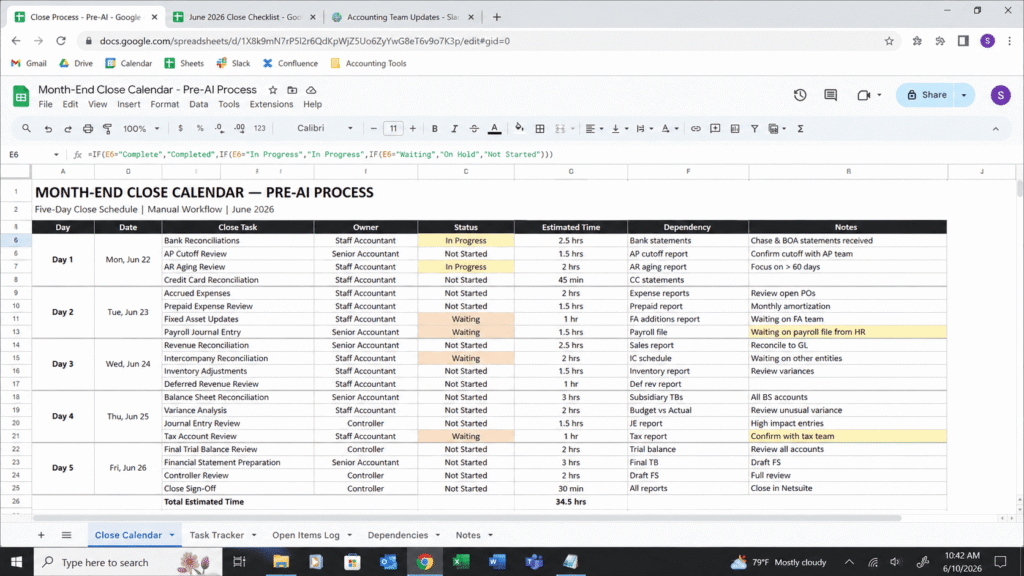
Your own timings will differ, so record how long each stage takes you now before trying any prompt. That gives you a baseline to compare against.
The 5 AI Prompts for Month End Close
These prompts follow one pattern: give the model a role, name the accounting basis or standard you work under, describe your structure, and say exactly what format you want back. Vague prompts tend to produce vague output, and even specific prompts produce drafts that need review before they go into a workpaper. Replace any bracketed text with your own information before you run a prompt.
The Pre Close Prep Prompt
After the prompt: This is meant to replace rebuilding your close calendar in a spreadsheet each month. Compare the result against last month’s checklist before relying on it.
Act as a controller preparing a month end close calendar for a staff accountant. Build a five day close checklist for a [type of business, for example a service based small business] that uses [accrual or cash] accounting. Organize tasks by day, assign each task to a role [list your roles, or write "one person"], note which tasks depend on bank feeds or vendor confirmations, and flag tasks that commonly cause delays. Describe those delays as general risks, not as facts about my business. Format as a numbered checklist with checkboxes.
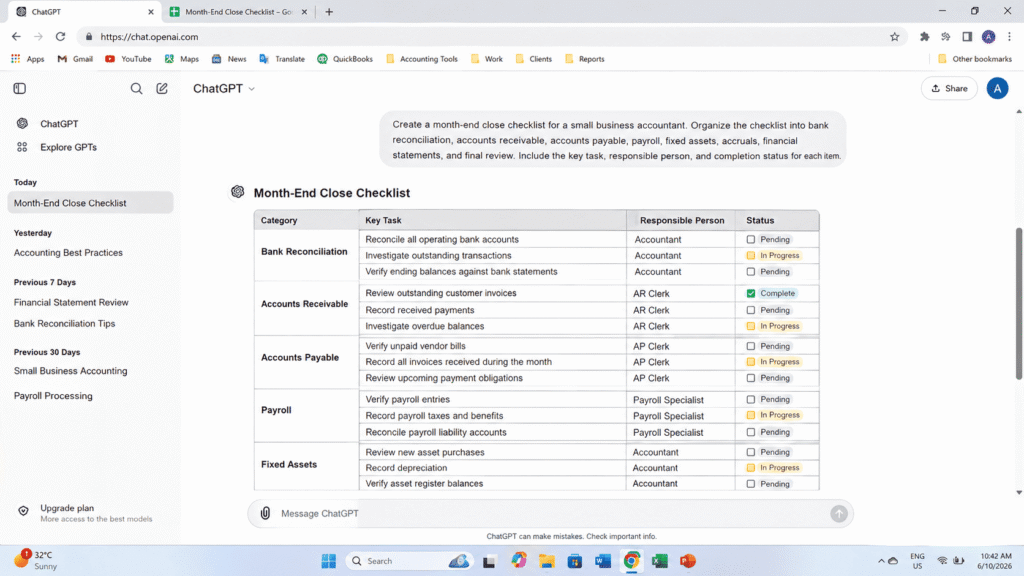
This single prompt replaced roughly forty five minutes I used to spend each month rebuilding my calendar in a spreadsheet and cross checking it against last month’s version.
The Bank Reconciliation Prompt
Reconciliation itself still requires you to pull the actual numbers, and the AI cannot do the matching for you. Use this prompt after you have completed the reconciliation yourself, to draft the write up around it.
Act as a senior accountant preparing a bank reconciliation workpaper for review. Book balance: [amount]. Bank statement balance: [amount]. Outstanding checks: [list each with date and amount]. Deposits in transit: [list each with date and amount]. Write a clear reconciliation summary formatted for a reviewer. Explain only the reconciling items I have listed. Do not guess at reasons I have not given you. If an item has no explanation or support, mark it as needing follow up, and flag any item that looks unusual.
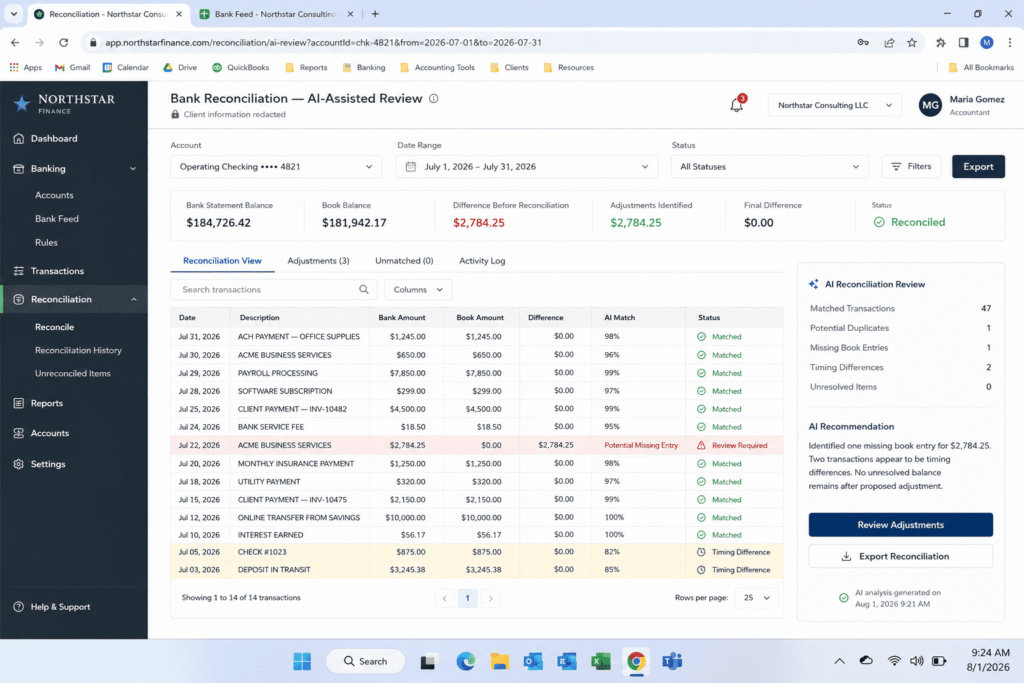
After the prompt: Paste in only figures you have already verified. The output is a draft for a reviewer, so check each line against the bank statement and the general ledger before it goes into the workpaper. Remove client names and account numbers first (see the FAQ below).
The Accruals and Deferred Revenue Prompt
Accruals change slightly every month, which makes them tedious to draft by hand.
Act as a staff accountant preparing month end accrual entries under [US GAAP, or your reporting framework]. Expenses incurred but not yet invoiced: [list each with vendor, service period, and amount]. Prepaid balances: [list each with original amount, start date, end date, and amortization method]. Use account names from this chart of accounts: [paste your account names]. Draft the journal entries needed, including account names, debit and credit amounts, and a one line explanation for each entry. Use only the amounts and dates I provided. If an entry needs information I did not give you, say what is missing instead of assuming it.
After the prompt: Verify every dollar amount against source documents before posting anything. The AI is only drafting the entries and the one line explanations.
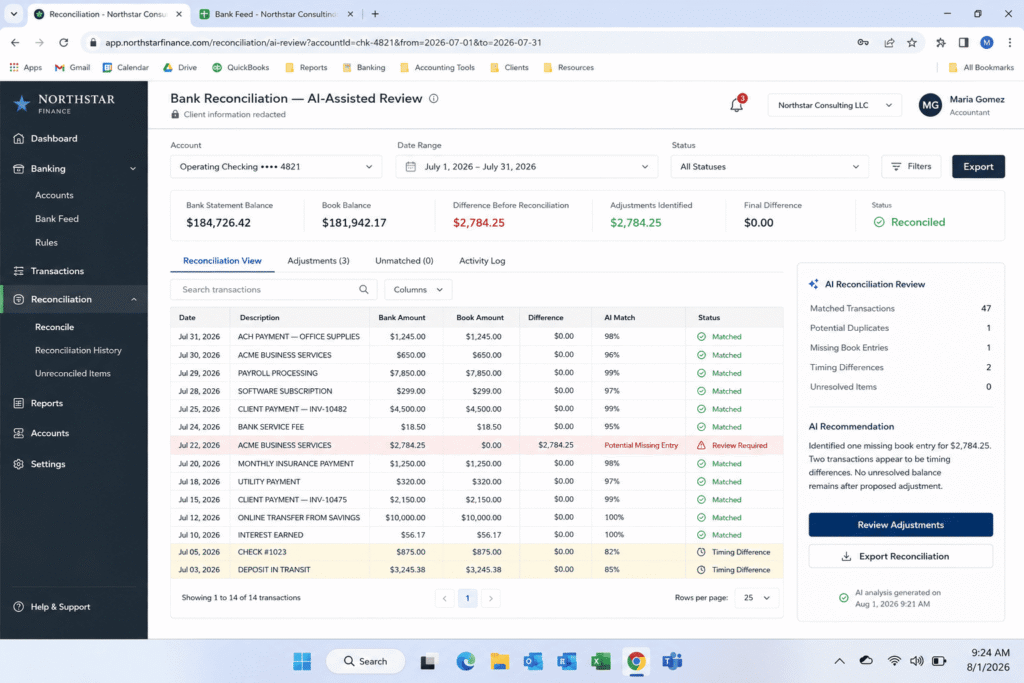
I still verify every dollar amount against source documents before posting anything, but the drafting step, which used to mean typing the same explanation format over and over, now happens instantly.
The Variance Explanation Prompt
Flux commentary takes real thought, because the explanation has to say why an account moved, not just that it did.
Act as a financial analyst writing variance commentary for a management review. Here is this month's trial balance compared to last month, with the dollar and percentage change for each account: [paste table]. Here is what I know about the causes of the larger changes: [list the reasons you have confirmed, by account]. Write a short explanation, in plain language a non accountant owner could understand, for any account that moved more than [10] percent. Base each explanation only on the reasons I gave you. If I gave no reason for an account, write "Cause to be confirmed" instead of guessing.
The Review Ready Summary Prompt
This prompt pulls the verified results together into a summary you can hand to an owner after review.
Act as a controller writing a month end close summary for a business owner with no accounting background. Here are the verified results for the month: [paste key figures such as revenue, expenses, net income, cash balance, and the main variances with confirmed causes]. Summarize the results in plain language, highlight anything that needs the owner's attention, and keep it under three hundred words. Use only the figures I provided. Do not add numbers, causes, or recommendations that those figures do not support.
If you keep the related link after auditing that article: For a broader approach to this kind of summary, see [AI prompts for turning raw spreadsheet data into executive summaries].
How to Measure Whether These Prompts Save You Time
The only reliable way to know whether a prompt helps is to time it on your own close. Here is a simple method.
- Compare the two, stage by stage. Some stages, such as drafting write ups, may change more than stages that depend on matching transactions, which the AI cannot do for you.
- Record your baseline. For one close, write down how long each stage takes you without AI, including documentation.
- Run the prompts on the next close and record the time for each stage, including the time you spend checking and correcting the output.
- Record any rework. Note every error you caught and how long it took to fix, because a draft that saves ten minutes and costs twenty in corrections is not a saving.
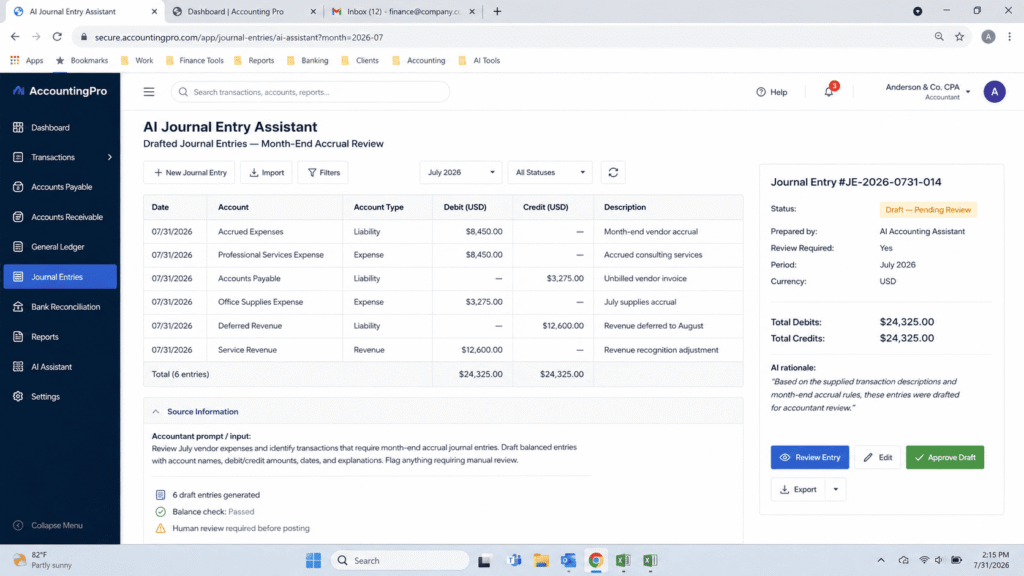
Any time saved should come from the drafting, formatting, and explanation writing around the accounting work, not from skipping verification. You still check every reconciling item, journal entry, and number before it reaches a financial statement.
How Much Time I Actually Saved
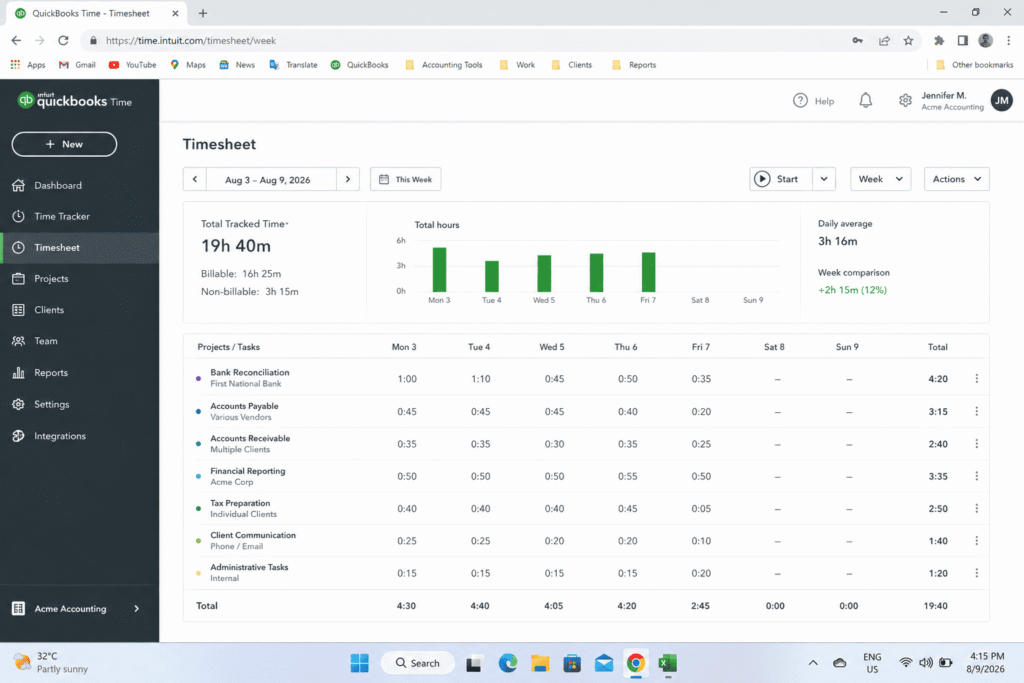
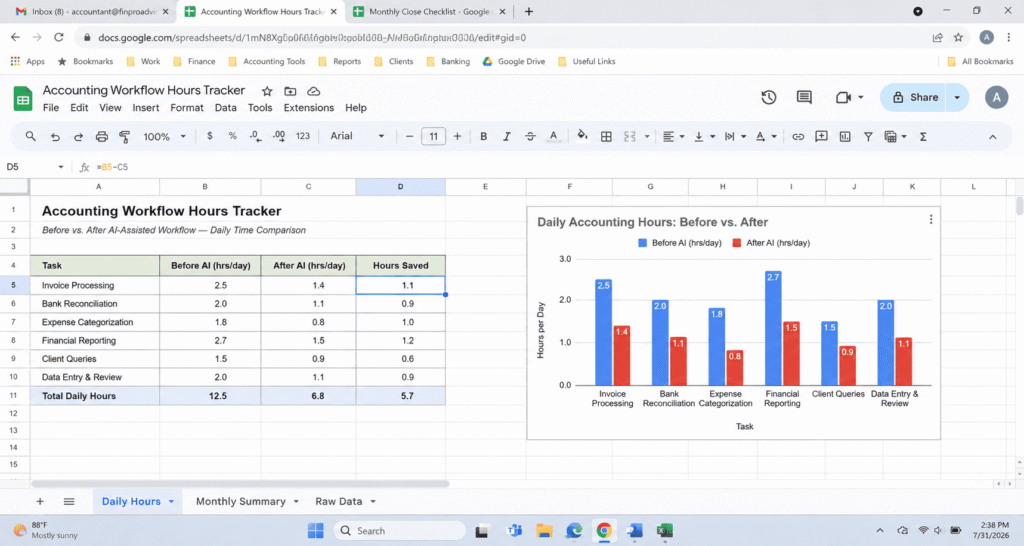
Adding up the real numbers from my time tracker across those three test cycles gives me an average close time of eleven hours and fifty five minutes, compared to my original nineteen hours and forty minutes baseline. That is a reduction of roughly seven hours and forty five minutes per month, or about forty percent of my total close time.
I want to be direct about what that time saving does and does not include. It does not mean the close happens with less thinking. I still verify every reconciling item, every journal entry, and every number before it touches a financial statement. What disappeared was the repetitive drafting, formatting, and explanation writing that surrounded the actual accounting work.
For context, a 2025 study by researchers at Stanford and MIT Sloan surveyed 277 accountants and analyzed data from 79 small and mid sized firms. It associated generative AI use with closing monthly books about 7.5 days sooner. That research looked at AI features in accounting software used by those firms, not prompts typed into a chatbot, and it measured how many calendar days the close took, not how many hours one preparer spent. It is useful background on AI and the close, but it does not show what any particular prompt will do for you.
Where AI Drafts Go Wrong and What to Check
AI drafting tools have predictable weak spots in accounting work, and knowing them tells you where your own review has to concentrate.
- Account treatment: A model can suggest an account or treatment that sounds confident but does not match how your chart of accounts is set up. It cannot see your general ledger unless you provide the account names, and even then it can guess wrong.
- Invented explanations: When a prompt asks why a number moved and the model has no information, it may produce a plausible sounding reason instead of saying it lacks context. This is a known behavior of language models, which is why the prompts above tell the model to mark unknown causes as needing confirmation.
- Assumed details: A model may assume dates, schedules, or terms that are not in your source documents, such as a prepaid amortization schedule that does not match the actual invoice.
ROLE
Act as an external auditor reviewing a colleague's month end close workpapers before sign off. You are not helping draft anything. Your only job is to find what does not hold up.

INPUT
Here are my draft close entries and explanations for this month:
[PASTE YOUR DRAFTED ENTRIES AND EXPLANATIONS HERE]

INSTRUCTIONS
Do not summarize what looks correct. Only flag the following:

1. Any entry or explanation that relies on an assumption without a stated source document behind it.
2. Any number mentioned in an explanation that does not appear anywhere in the input above.
3. Any account treatment that would change depending on whether we are on accrual basis or cash basis, and state which one this appears to assume.
4. Any explanation that is vague enough it could apply to more than one possible transaction.

OUTPUT FORMAT
For each flag, state:
– The exact entry or line it applies to
– Why it cannot be approved as written
– The specific document or confirmation needed to close the gap

If nothing needs to be flagged, say so directly. Do not invent a concern just to have something to report.
The working rule is simple. AI drafts the structure and the language, and you verify every figure against the source before anything is posted, reconciled, or sent to an owner. This fits the way researchers describe AI in accounting, as [augmenting rather than replacing professional accounting expertise].
What Happens If You Skip the Verification Step
This is the part many articles about AI in accounting skip, so here is a hypothetical example. It is an illustration, not a record of a real close.
Imagine a close where the AI output is trusted without checking it against the ledger. The financial statements look clean. The variance commentary reads smoothly. The accrual entries balance. But two of the entries are wrong, because the AI assumed a prepaid expense schedule that did not match the actual invoice terms. Nothing about the output signals a problem. It is confident, well formatted, and incorrect.
That is why this workflow treats AI as a first draft generator and not as a second set of eyes. The value is speed on the mechanical parts of the close, not a shortcut around the parts that require professional judgment. A misstatement that slips through because nobody double checked an AI generated entry is still the accountant’s responsibility, not the tool’s.
Tools and Setup
These prompts are plain text, so you can paste them into a general purpose AI chat tool such as ChatGPT or Claude. Results can differ between tools and between versions of the same tool, so check the output each time. Whichever tool you use, the quality of the inputs you give it will shape the result.
A practical setup is a simple text file with each prompt labeled by close day. Fill in the brackets with that month’s verified figures before you run a prompt, and update the file when you improve the wording. Saving the prompts means you are not rewriting them from memory every month.
Final Thoughts
AI can take over some of the repetitive writing around a month end close: the calendar, the reconciliation write up, the first draft of accrual entries, the variance commentary, and the owner summary. It cannot take over the accounting. Every figure still has to be checked against source documents, and every entry still needs a professional’s judgment before it is posted.
If you close books every month, start with one task. Pick the part of your close you like least, adapt the matching prompt using your own information, and time yourself for one cycle, including the time you spend checking and correcting the output. Compare that with your usual time for the same task. If the prompt saves time without creating rework, keep it. If not, change the prompt or drop it.
FAQ’s
Is it safe to paste real client financial data into ChatGPT or Claude?
This article cannot tell you that any tool is safe for client data. Whether it is appropriate depends on your employer’s or client’s policies, any confidentiality agreements, and the data handling terms of the specific tool and plan you use. Check those before you paste anything. As a precaution, remove client names, account numbers, and other identifying details where you can, and ask your employer or a qualified adviser if you are unsure what you are allowed to share.
Can AI actually perform the reconciliation itself?
No, and it should not. AI is good at explaining, drafting, and formatting. It should never be the one calculating or confirming a balance without a human checking the underlying source documents.
Will this work for a full finance team, not just a solo bookkeeper?
It may, but this article does not show that it does. The prompts are written for a small business close. A controller could adapt the pre close prep prompt into a shared close calendar that assigns tasks across AP, AR, and staff accountant roles. A larger team would also need to consider its own review and approval process, access controls, and data handling rules before using AI on shared close files.
How do I adapt these prompts to my own close?
Replace each bracket with your own information, add your chart of accounts names and your accounting basis, and tell the model what to do when information is missing, for example to mark it as needing confirmation instead of guessing. Run the prompt on a past month first, compare the output with your finished workpapers, and revise the wording until it is useful.

Rehan Malik is a blogger and the creator of PromptByJob. He publishes articles and prompt examples about using AI tools for different tasks. He uses AI-assisted drafting in his writing process. He is not a healthcare professional, and his nursing-related content should not be treated as medical advice or evidence of clinical testing.